The No-Nonsense Guide to Reselling with SellRaze
by Joem Castones •September 2, 2026
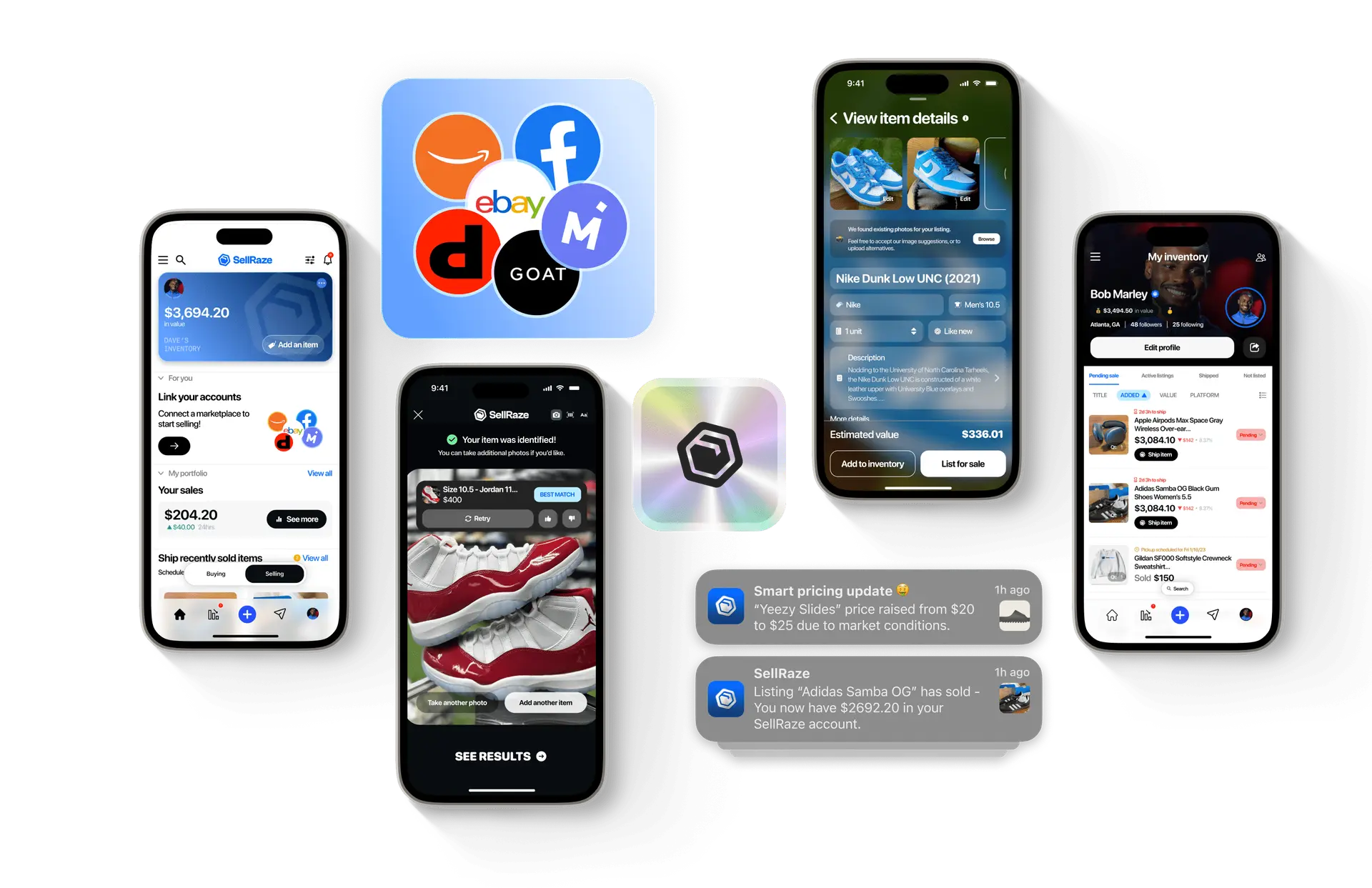
Reselling across more than one marketplace is the fastest way to grow a resale business, and also the fastest way to bury it in busywork. Every platform wants its own photos, its own description, its own pricing. A single item can take twenty minutes to list once, then another twenty to copy over to the next marketplace, and the next. Multiply that by a full closet of inventory.
SellRaze cuts the repeated work down. The platform now supports more than 150,000 active resellers, ranging from people clearing out a closet on the weekend to full-time flippers running six-figure operations across a dozen marketplaces at once. Instead of treating each platform as a separate job, SellRaze treats the item as the center of the process: scan it once, describe it once, and push it out everywhere buyers are already looking.
This guide covers scanning and identifying an item, building your first listing, crosslisting it to multiple marketplaces, managing what happens after it goes live, and deciding whether the paid subscription is worth adding.
Scanning and Identifying an Item

Every listing in SellRaze starts with the camera. Open the app, tap Capture Item, and take a photo. The frame includes guide brackets for front and back shots, so items photograph consistently instead of getting cropped or angled differently every time. If you already have photos saved, you can skip the camera entirely and upload from your library.
Once a photo is in, SellRaze runs it through AI item recognition. Within a few seconds the app returns a suggested match, brand, and category, pulled from its own product database along with listings from other marketplaces. A shirt photographed on a hanger might come back matched to an Adidas athletic top, complete with the brand already filled in and a set of visually similar items pulled up for comparison. If the match is off, a refine by color search narrows the results without a full rescan.
For higher-value items, SellRaze has a Check Now button that runs an authentication pass before the listing goes any further. This matters most for sneakers, designer bags, and anything else where counterfeits are common enough that buyers ask for proof before they'll commit.
Running that check alongside the similar items panel gives you a sense of what the item is and whether it's likely authentic before you commit any more time to it. And for anyone working through a haul of items at once, scanning them one after another and sorting through the results later is faster than researching each item before picking up the camera.
The similar items panel also doubles as a pricing tool. Instead of guessing what a jersey or a pair of jeans should sell for, you can see comparable listings from other resellers and marketplaces side by side, and shortens the research that used to mean opening five browser tabs before setting a price.
Creating the First Listing

Once an item is identified, SellRaze moves into the listing builder. This is where the item details get filled in, including the name, brand, size, and condition, each shown as its own field rather than buried in a single description box. Condition options range from new with tags down through well-worn, and picking the right one matters, since buyers on nearly every marketplace filter by condition before they filter by anything else.
Most of these fields fill in automatically from the identification step, so the name, brand, and category are usually already set by the time you reach this screen. You can still edit any of them by hand if the match wasn't quite right, or if you'd rather word the listing yourself.
As the listing fills in, SellRaze shows a running estimated earnings figure at the bottom of the screen. This number updates as the fields change, giving a rough sense of what the item is worth before it reaches a buyer, which helps you decide whether an item is worth listing at all. Since the estimate updates automatically, you can also compare what a couple of different condition settings would earn before settling on one.
Photos matter here as much as the fields do. Good lighting and a plain background tend to earn faster offers, and a close-up of any flaw or wear helps buyers trust the condition listed. SellRaze pulls the identification photo into the listing automatically, but adding a couple of extra angles before publishing takes less than a minute and does more for buyer trust than a longer description would.
Once a few photos are added, you can reorder them, and whichever one ends up first gets used as the cover photo everywhere the item gets listed. Putting your clearest, best-lit shot in that first slot is worth the few extra seconds, since it's what shows up in search results across every connected marketplace.
From here, you have two paths. Save to Drafts holds the listing without publishing, useful for batching a pile of items on a slow afternoon and pushing them all live at once later. Save & Continue moves straight into crosslisting.
Crosslisting to Multiple Marketplaces
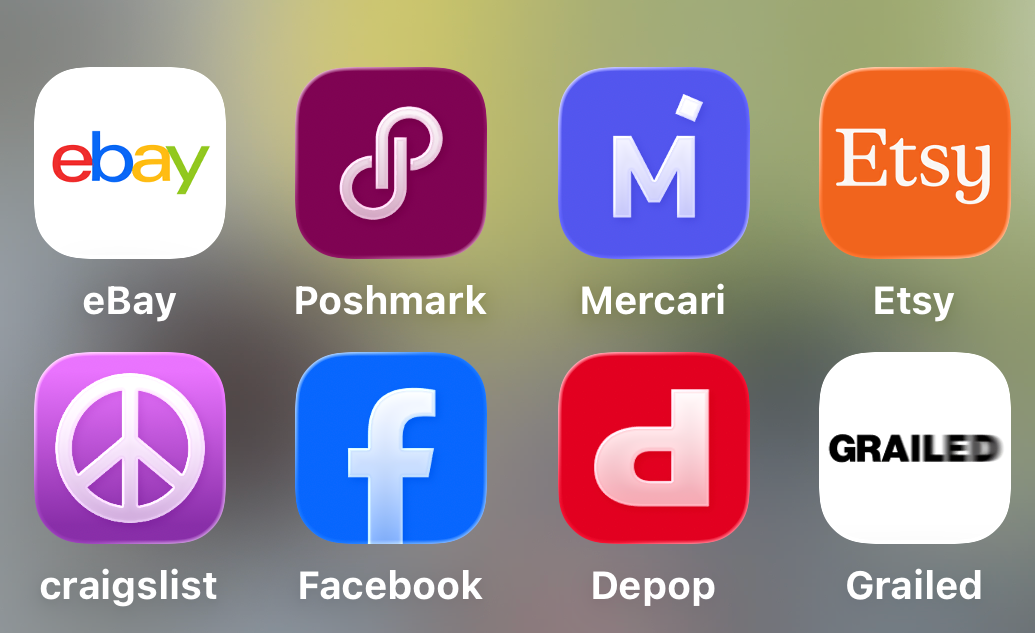
This is the core of what separates SellRaze from listing on a single platform by hand. After the item details are set, you choose which connected marketplaces should receive the listing. The current lineup includes eBay, Facebook Marketplace, Mercari, Depop, Poshmark, Vinted, and Whatnot, shown as a simple list with a toggle next to each one.
Marketplaces that aren't yet linked to your account show as Not Linked. You connect each one once, and after that a Remember My Marketplace Choices checkbox saves your selection, so if you always list to the same four platforms you don't have to toggle them again for every item.
SellRaze sets a starting price for the item, and you can change that price by hand before publishing if you'd rather charge more or less than the suggested amount.
Tapping Finish pushes the listing out to every selected marketplace in one pass. What used to mean six separate listing sessions becomes one. The estimated earnings figure carries over into this step too, giving a final total before anything goes live.
There's a real strategic upside to this beyond time savings. Different marketplaces attract different buyers. Poshmark and Depop skew toward fashion-focused shoppers willing to pay more for brand names, Mercari tends to move general goods faster, and Whatnot's live-selling format works well for collectibles and streetwear. Listing to all of them at once means an item is exposed to every buyer pool simultaneously instead of sitting on one platform hoping the right person scrolls by.
What Happens After a Listing Goes Live

Publishing isn't the end of the process. SellRaze's profile dashboard gives you a quick way to see how your store is developing across every connected marketplace in one place instead of checking each app separately. It shows your follower count, how many people you're following, and how many items you've sold.
Each Active listing can be marked with a status: Pending for something in the middle of a sale conversation, Complete once it's sold, or Unlisted for anything pulled down before selling. You can also go back and edit the price or any of the listing details at any time. Useful if a similar item starts selling for more somewhere else and you want to adjust.
The dashboard also includes an Integrations page for managing which platforms are connected and adjusting account settings for each. Buyer messages still need a human on the other end. Checking the dashboard regularly for new messages, offers, and status changes helps you keep track of what needs a reply, especially once an item is live on five or six platforms at the same time.
The same applies to marking an item sold. If an item is listed across several marketplaces and sells on one of them, the others should get marked unlisted so the listing doesn't stay active elsewhere. SellRaze's status tracking makes this a two-tap fix rather than a five-app scramble.
Getting Started

SellRaze offers a free trial that covers scanning, listing, and crosslisting, enough to try the full process before committing to anything. If you outgrow what the free trial allows, upgrading to one of the paid plans removes those limits.
You can also pause or cancel your subscription at any time, so there's no long-term commitment if reselling ends up being a smaller part of what you do than expected.
The whole point of SellRaze is removing the parts of reselling that don't require a human decision: retyping the same description seven times, resizing photos for each platform's own dimensions, manually checking whether an item sold on one marketplace before pulling it from the rest. None of that work makes an item sell faster or for more money. It just eats time that could go toward sourcing more inventory or answering the buyers who are already messaging.
None of it requires switching resale strategies either. Pricing instinct and product knowledge still matter no matter what tool you use, and so does decent photography. SellRaze removes the repetition sitting between a finished listing and posting it to seven different marketplaces by hand, not to mention the management that comes after, checking each app separately for messages, offers, and sold items.
If you're juggling more than one marketplace app right now, scanning a single item and running it through SellRaze once is the easiest way to see the difference. The free trial is enough to try the full process end to end, from the first scan to the first crosslisted listing, before deciding whether to upgrade. Whatever your usual pace of listing, it's a quick enough setup to test against a few real items before changing how you list everything else.
Start optimizing your listings today!